
Overview
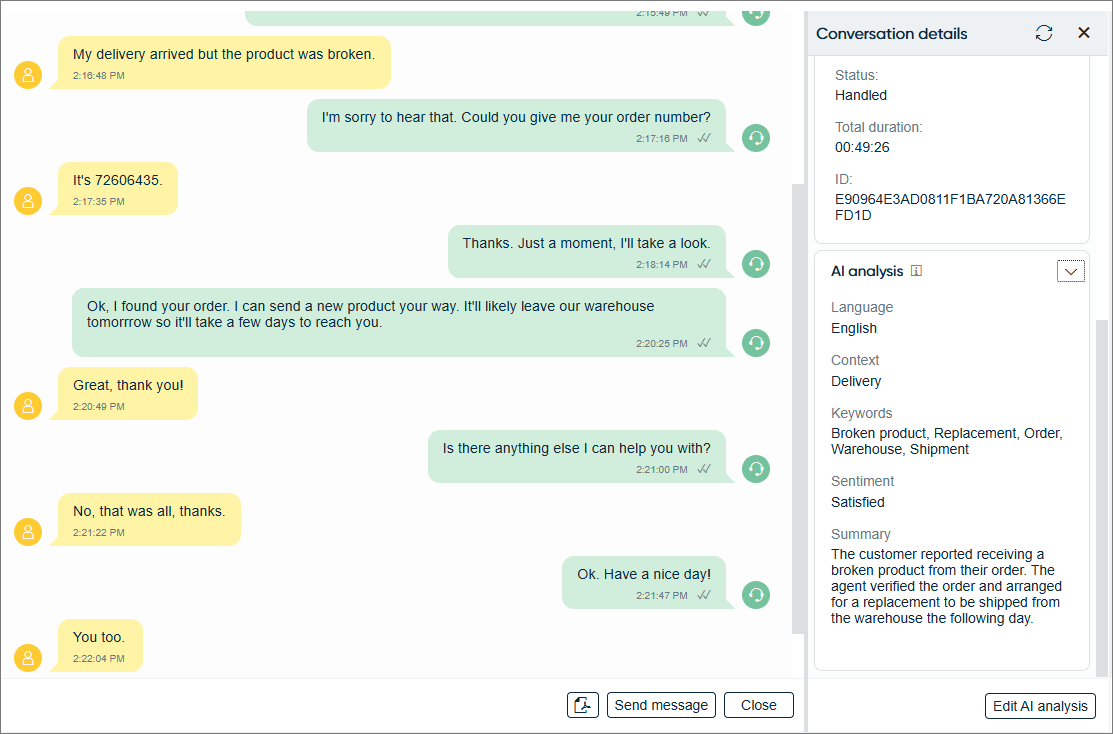
You can analyze a chat's content using AI. The analysis is shown in Communication Panel when the chat has ended.
By default, the AI analysis shows you the following in the Conversation details extension:
- Language
- Context
- Keywords
- Sentiment
- Summary
In addition, you can customize the analysis by specifying instructions given to AI.
The AI analysis may take a while to appear. To refresh the view, click the refresh button
at the top right  .
.
If you see an Edit AI analysis button, you'll also be able to edit the analysis. This may be useful, for example, in case of inaccuracies in the analysis. If the analysis has been edited, the name of the agent and the timestamp of the edit is shown under the analysis.
If you have an integration to SAP Service Cloud (C4C) or SAP Service Cloud Version 2, you can also save the AI analysis there.