
Emergency locations
This view is for creating emergency locations.
The feature is supported in the US, Canada, Puerto Rico, and US Virgin Islands.
Prerequisites
To use this view, you need the Emergency Admin role.
View emergency locations
-
Click Emergency locations.
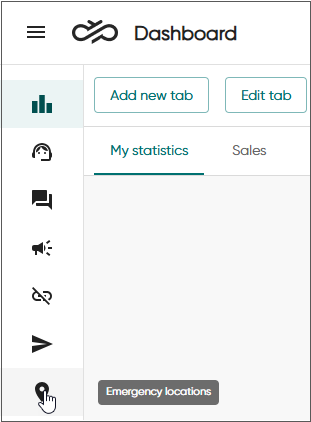
By default, the view shows common defined locations, which have been created by admins.
-
To see the locations that agents have created in Communication Panel, select Custom as a type in the filter.
-
To find a specific emergency location, use the filter options or the search field next to Export. Start typing to see results that contain the text your entered.

-
To view the agents assigned to a particular emergency location, click the location name. The details view shows the agents whose emergency locations you have rights to see.
Create emergency locations
-
Click Add new location.
-
Fill in the information according to the following table.
Field Description Location name
Enter a descriptive name for the location.
Street address and Street number
Enter the address of the location. The system validates the address when you save the location, so make sure the address is as accurate as possible.
Apt, suite, unit, etc.
If the address includes additional information such as building or floor, enter it here. You can use the following abbreviations:
Description Abbreviation Apartment APT Basement BSMT Building BLDG Department DEPT Floor FL Front FRNT Hanger HNGR Key KEY Lobby LBBY Lot LOT Lower LOWR Office OFC Penthouse PH Pier PIER Rear REAR Room RM Side SIDE Slip SLIP Space SPC Stop STOP Suite STE Trailer TRLR Unit UNIT Upper UPPR City
Enter the city name.
State
Choose the state from the list.
ZIP code
Enter the ZIP code.
Callback number
Enter a valid phone number using the 10-digit format to which a public-safety answering point (PSAP) can call back. The number can be, for example, the number of the reception (for emergency locations created by admins) or a mobile phone number (for locations created by agents).
-
Save the emergeny location.
It's now available to be selected by agents who have the Emergency user role and the emergency locations setting enabled in .
Remove emergency location
-
Use filters to search for the location you want to remove.
-
Click on the location name.
The emergency location details view opens.
-
Click Delete.