
Search results
You can define a search criterion from the view's filter option.
A search will be carried out on this basis and the results are loaded into the table.
Default search
How many rows per page a table shows is based on the setting Rows per page. Adjust this accordingly per view. If there are more results than fit to the current page, Dashboard informs this with a plus sign after the number at the bottom of the page. To load more results, use the next-page arrow.
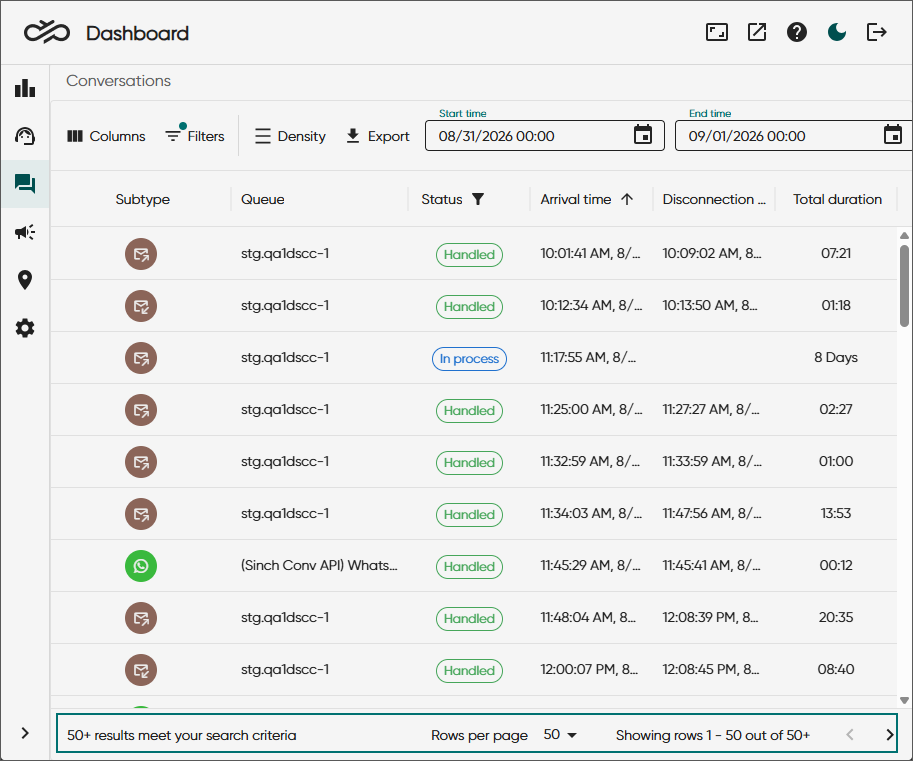
Total result count
From 26Q4 as a Beta trial only
To see the exact number of results, go to Settings and select Show total result count in supported views. The setting remains active for your current session.

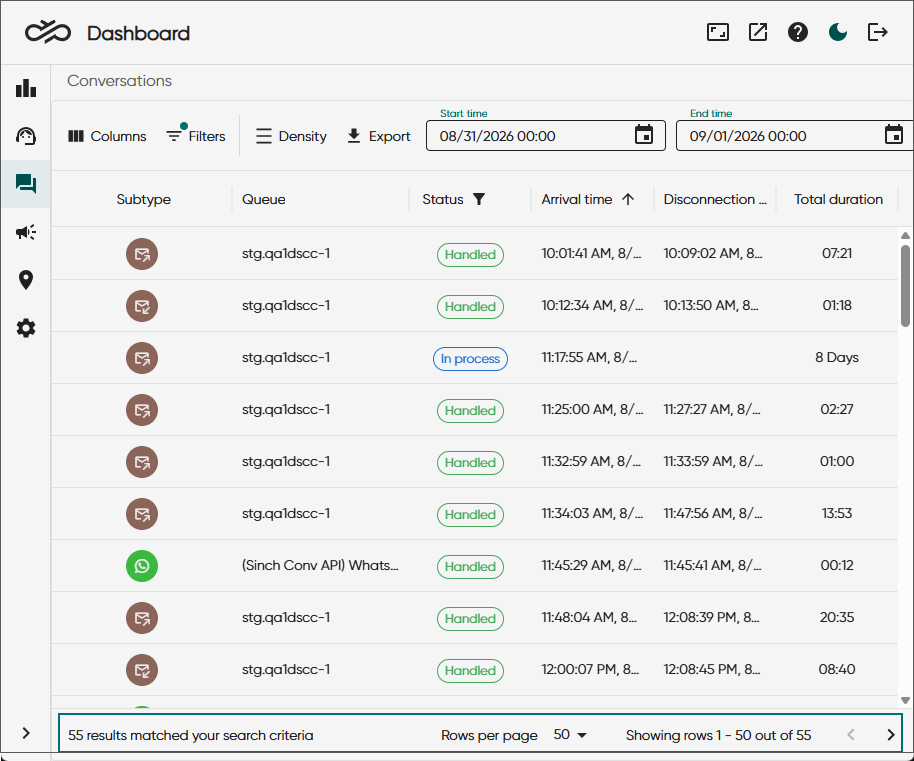
The table below shows the views where this search is supported.
| Dashboard view | Total result count supported | Comments |
|---|---|---|
|
Statistics |
No |
|
|
|
Yes |
No total result count when these combination of filters are used:
|
|
|
Yes |
|
|
|
Yes |
|
| Conversations |
Yes |
|
|
|
No |
|
|
|
No |
|
|
|
No |
|
|
|
Yes |
|
|
|
Yes |
|
|
Disruptions |
No |
|
|
SMS messages |
No |
|
|
Emergency locations |
No |