
Change shown information
-
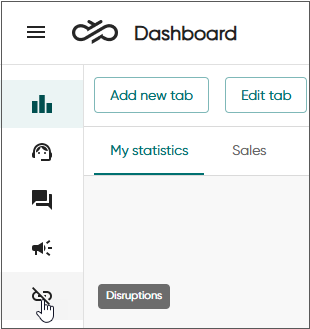
Click Disruptions.
-
Choose the disruption item tab.
By default, the view shows active disruption events.
-
To list the events based on some other criterion, for example status upcoming, use filters.
-
To add or remove shown columns, click Columns.
The table below lists the available columns and describes their content.
Column Description Created
Time when the event was created
Modified
Shown by default
Time when the event was modified
Starts
Time when the event starts
Ends
Time when the event ends
Status
Shown by default
The current status of the event
Region / External ID
The ID of the region
Region / Short name
Shown by default
The name of of the region
Region / Long name
The description of of the region
Reason / External ID
The ID of the reason
Reason / Short name
Shown by default
The name of the reason
Reason / Long name
The description of the reason
Estimate / External ID
The ID of the estimate
Estimate / Short name
Shown by default
The name of the estimate
Estimate / Long name
The description of the estimate
Internal notes
Additional information about the disruption