System Configurator (SC)
The following changes and improvements have been made in System Configurator.
Conversation list timers
It's now possible to configure Communication Panel to show the following timers in agents' active conversations list:
-
Elapsed time since the conversation arrived (applies to calls, emails, and chats)
-
Elapsed time from customer’s last message (applies to chats)
-
Elapsed time from agent’s last message (applies to chats)
You do this by selecting the new Use duration timers in My conversations setting on the user settings template section Communication Panel (CP) settings.
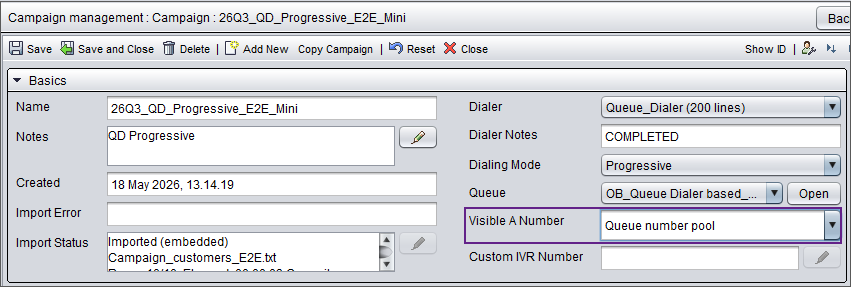
Queue number pool
-
the option Queue number pool for Visible A number and add a comma-separated list of numbers to the field.
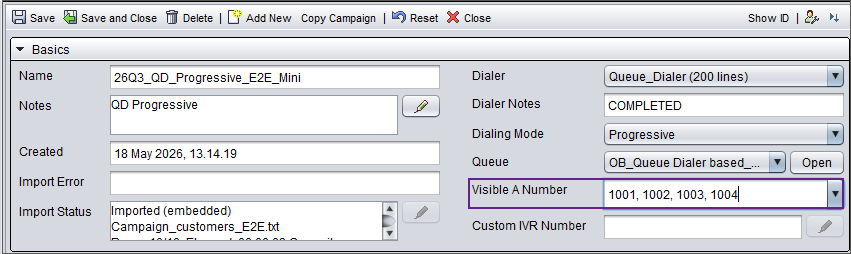
or
-
the Numbers/Addresses list in the campaign queue setting list.
For more information about the configuration, see Configuring campaign's basic settings.
New predictive campaign settings
-
To prevent the dialer from immediately redialing the same customer after a call receives an ABANDONED result, you can now define a delay before the next call to that customer in .

-
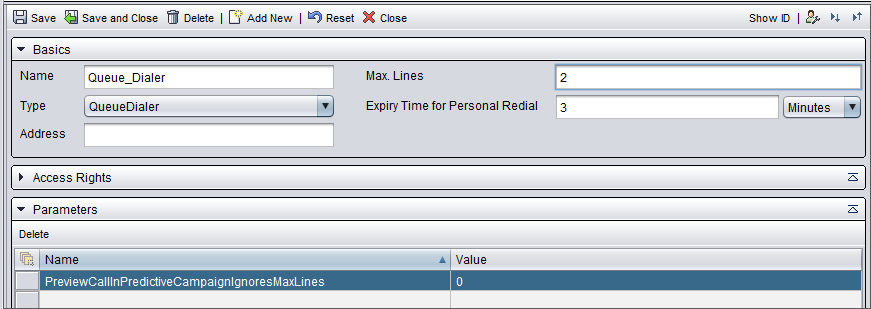
When an agent has classified a predictive campaign call as instant retry, the new call to the customer is made in preview mode and if no lines are available, the call fails. Now the campaign/dialer Max. lines value is ignored by default with the parameter PreviewCallInPredictiveCampaignIgnoresMaxLines. This update also resolves an issue where scheduled or instant retry calls failed to reach the dialer. Previously, such calls could get stuck with no progression, leaving the agent only able to select Cancel in Communication Panel.
If you want the dialer to follow the Max. lines value, change the parameter PreviewCallInPredictiveCampaignIgnoresMaxLines value to 0 in .
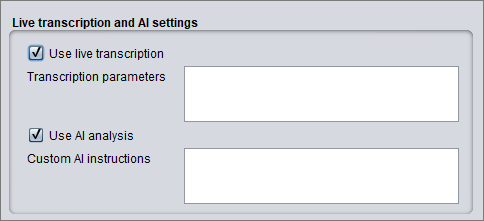
Live transcription and AI analysis
Settings for live transcription and AI analysis have been added to:
-
the voice channel for configuring live transcription and AI analysis for all phone queues
-
phone queues for configuring live transcription and AI analysis only for specific phone queue(s)

-
user settings template for configuring if agents are allowed to see the live transcription and the AI analysis in Communication Panel

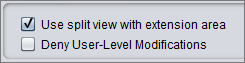
Extension area split view
A setting has been added for using the split view in Communication Panel's extension area. You can find this setting at :