
Campaign details
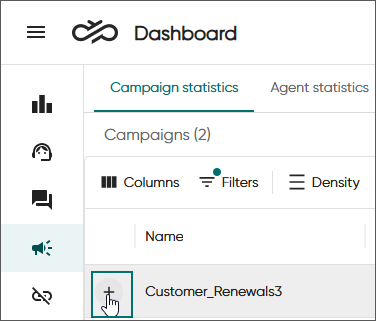
To see the details and progress of a campaign, click the plus sign:
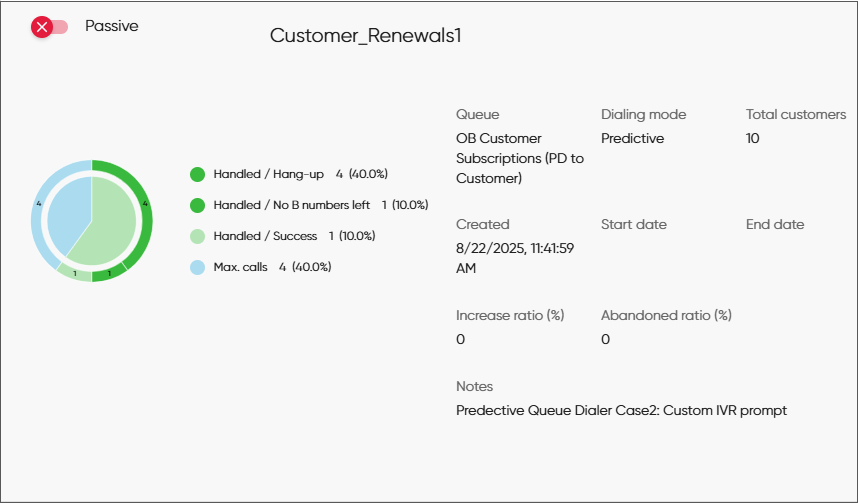
You see information about the campaign.
If the campaign's dialing mode is Predictive, you'll also see the following fields:
- Increase ratio: Calls made in the campaign = Free agents + (Ratio % * Busy agents)
- Abandoned ratio: The maximum percentage of calls dropped due to no free agent being available.
- Handled:
The number of customers that have a campaign outcome and do not require more call attempts
- Max. calls
The number of customers that have been called as many times as defined in any of the Number of redials fields in the campaign's settings in System Configurator.
- Filtered
Number of customers that have been filtered out from the campaign so will not be called
- Not handled
Number of customers that have not been called yet (who are not Handled, Max. calls, or Filtered)
This number tells you how much of the campaign remains to be completed.
- call classifications done by the agents when the customer has been reached
- current customer results assigned by the system when the customer has not been reached
To see the call classifications and current customer results of a campaign in more detail, switch to to the customers tab.