
Defining DTMF (Dual-Tone Multi-Frequency) keypresses
Use this procedure to define the actions that are triggered when a caller presses a DTMF key while waiting in the queue.
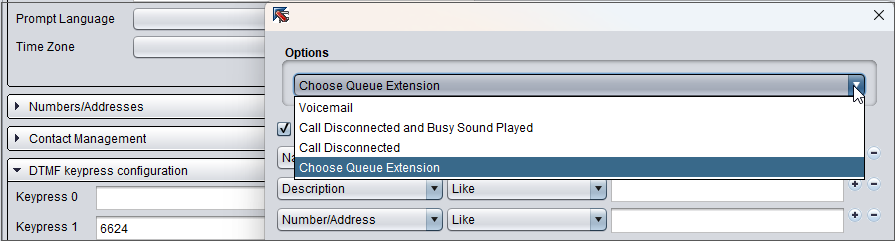
When a caller presses a configured DTMF key, the corresponding action takes place. The call can be forwarded to voicemail (either built-in voicemail or voicemail IVR), another queue, or external number. You can also configure the call to be disconnected or disconnected and a busy tone played. Callers can press DTMF keys during both the welcome prompt and the in-queue prompt. Create your own prompt presenting the available options and replace the system default prompt with it. For more information, see Audio prompts.
-
On the System Configurator main screen, choose .
-
Search for the phone queue for which you want to configure DTMF keypress options.
-
Choose the queue by double-clicking it and open the block DTMF keypress configuration.
-
Define keypresses using one of these methods:
-
Enter the IVR, queue, or external number.
-
Click the edit icon next to the field and choose an action.
 Note:
Note:If you've already defined an action in and your new configuration contains the same keypress with a different action, the configuration defined in DTMF keypress for forwarding is used.
-
-
Save your configuration.